Welcome to BillManager
BillManager is a modern financial tracking application that helps you manage recurring bills, track income, and stay on top of your finances.
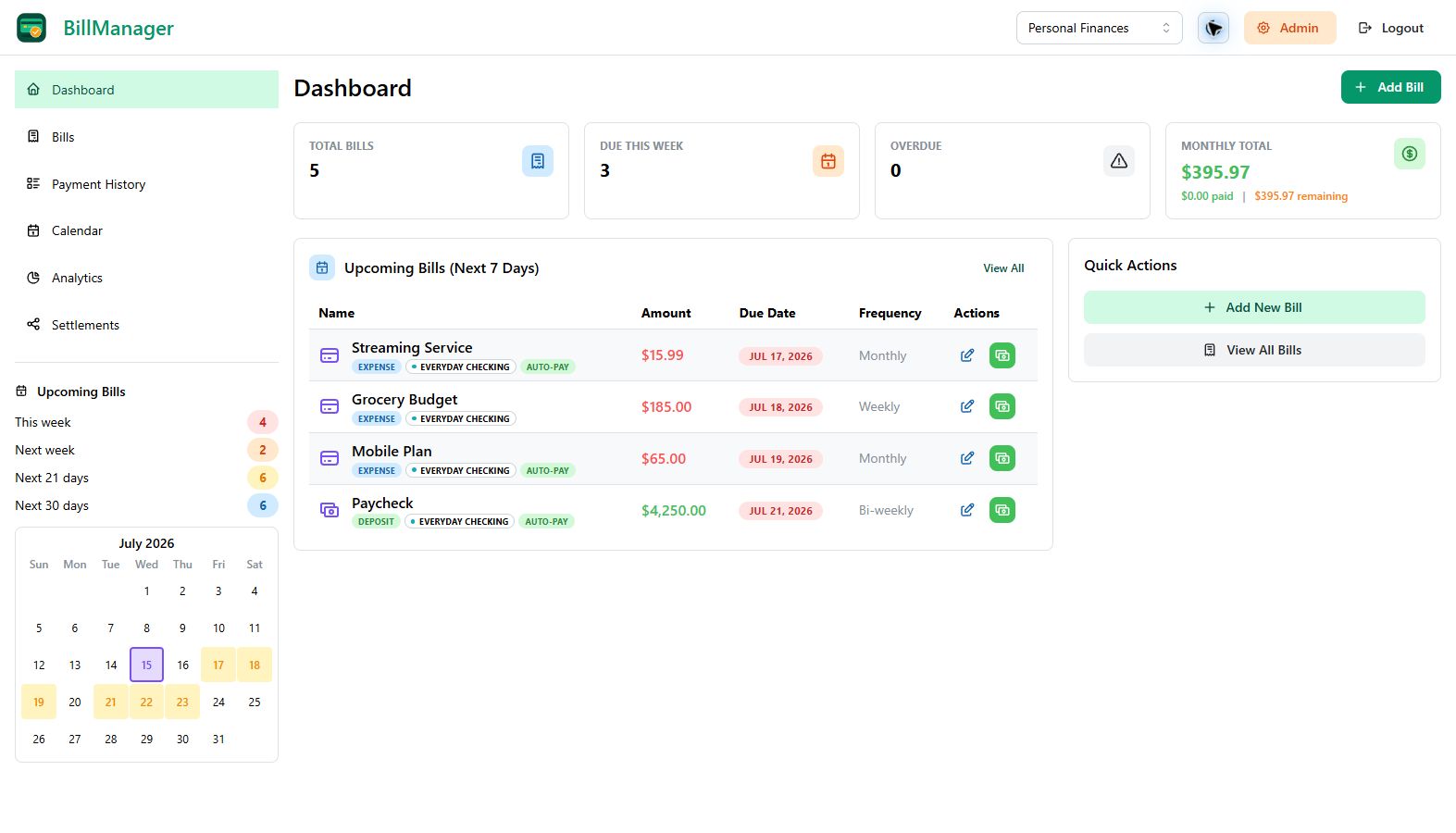
What is BillManager?
BillManager provides a simple yet powerful way to:
- Track Bills & Income - Monitor all your recurring expenses and deposits in one place
- Dashboard Overview - See stat cards, upcoming bills, and quick actions at a glance
- Calendar View - Visualize bill due dates across multiple months with color-coded indicators
- Plan Ahead - Set category budgets and forecast cash flow 30, 60, or 90 days out
- Analytics & Reports - Customize a saved analytics workspace with trends, category charts, and year-over-year comparisons
- Record Payments - Keep a complete history of every payment you make
- Share and Settle - Split bills, track each person's portion, and see what you owe or are owed
- Stay on Schedule - Configure per-bill reminders for upcoming, due-today, deposit, and overdue events
- Share with Family - Collaborate with family members using separate Bill Groups and granular access
- Social Login - Sign in with Google, Apple, Microsoft, or a configured OpenID Connect provider
- Two-Factor Authentication - Secure your account with email codes, passkeys, or recovery codes
- Language and Currency Preferences - Use English or German and choose a personal currency that follows you across devices
- Export Data - Download your financial data as CSV or PDF
Current Release
Version 4.13.0 replaces the Basic and Plus plans on BillManager Cloud with a single Pro plan and extends the free trial to 30 days. Self-hosted servers gain optional, privacy-filtered crash reporting, and Stripe billing now fails closed and processes webhooks reliably.
Read the release notes for the complete summary and upgrade steps.
The Android app is in closed testing on Google Play, with a public release to follow after testing. The iOS app is coming soon.
Quick Links
- Quick Start Guide - Get up and running in minutes
- Creating Your First Bill - Learn the basics
- Features Overview - Explore all features
Deployment Options
BillManager supports two deployment modes:
| Mode | Description |
|---|---|
| SaaS | Hosted at app.billmanager.app with subscription plans |
| Self-Hosted | Deploy on your own infrastructure with full control |
For self-hosted deployments, see the Self-Hosted Installation Guide.
Getting Help
- Browse this documentation for guides and reference material
- Visit our website for product information